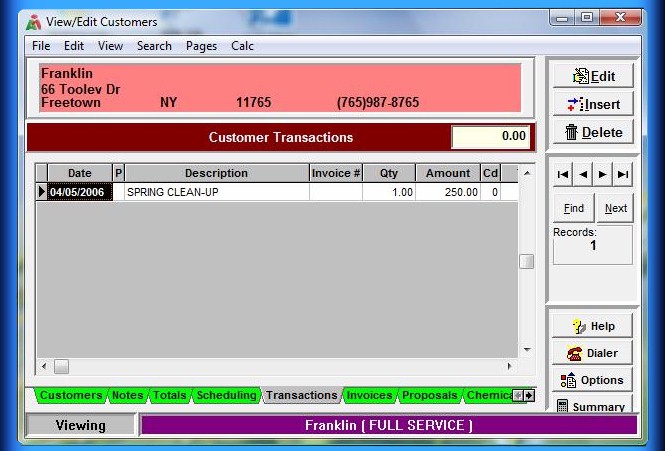
The green Transactions tab opens the Defining a Transaction Screen where the Insert, Edit and Delete buttons
allows user to add and modify transactions.
Clicking on the Insert button, the user defines the billing code, job description, quantity, price and tax code.
Posting a check payment from an individual customer would be entered here as well.
Multi-Transactions off the Customer menu permits entering and previewing multiple customer transactions before posting them.
Copyright © 1996-2007 RMP Communications Inc. All rights reserved.
No part of this web site may be reproduced or copied in any form
whatsoever, verbal, written, electronic or otherwise, without the
expressed written permission of the copyright holder. Violators
of this copyright and software pirates will be prosecuted to the
full extend of the law. Site created in the United States of America.