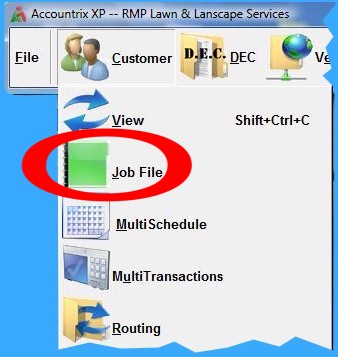
AXP Provides a Detailed List of Services in an Easy to Access Job File
A Job File accessed from the Customer drop-down submenu lists lawn maintenance and chemical application services. This
list can be easily customized to a specific industry. Services can be added, edited, modified and deleted at any time. Certain billing codes required in standard accounting practices are provided as
well. Services with customers scheduled can not be deleted to avoid human error. However, the description, tax code and other related information can be changed, automatically updating this data to
all customers assigned this service.
For example, if a job is already scheduled, changing a tax code and description will be changed in all customers
records assigned this service. This saves hours of retyping! It also comes in handy when a chemical type or description is changed from one year to the next, or during an application season. And,
simple yellow tabs at bottom of the screen navigate between the various functions: Services, Edit, Attached, Qty. Pricing, Totals and Year to Year.
· Pre-Created List of Services
· Customize List of Jobs
· Edit/Revise Existing List
· Attach Jobs to One Service
· Handle Quantity Pricing
· Monitor Job Totals
· Year to Year Comparison
· Customize Print Order
Copyright © 1996-2007 RMP Communications Inc. All rights reserved.
No part of this web site may be reproduced or copied in any form
whatsoever, verbal, written, electronic or otherwise, without the
expressed written permission of the copyright holder. Violators
of this copyright and software pirates will be prosecuted to the
full extend of the law. Site created in the United States of America.