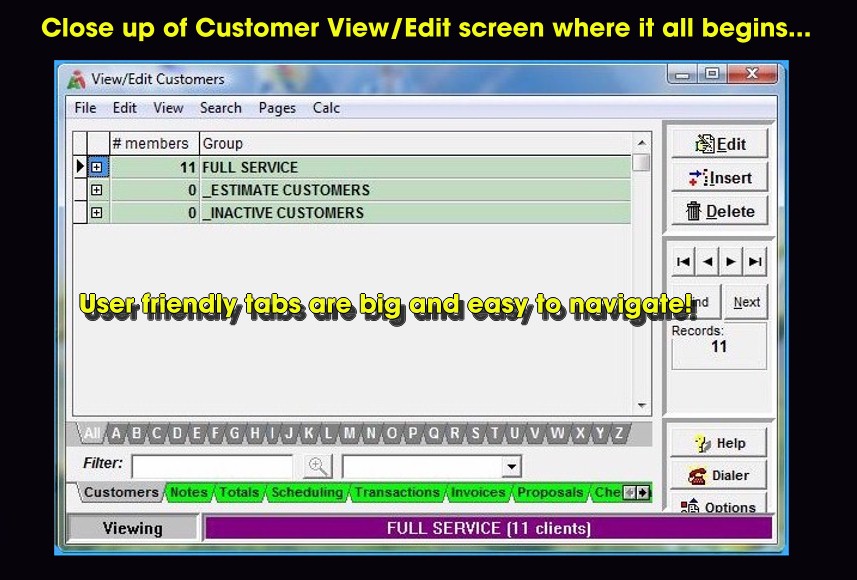
Upon opening AccountrixXP, a View/Edit Customer screen will appear. Here client groups are managed as well as the
customers stored in them. Green tabs along the bottom navigate to accounts receivable, scheduling and fixed contract functions. A quick index points to customers starting with the letter of the
alphabet selected. The "F" keys on the keyboard can also be used to toggle between screens.
Buttons on the right move the user forward/backward between records. Customers can be inserted, edited and deleted. An auto dialer feature telephones customers from inside AXP. Email, AR Journal View
and Post to GL buttons have been added. From here the client service address, billing info and routing details are maintained.
Copyright © 1996-2007 RMP Communications Inc. All rights reserved.
No part of this web site may be reproduced or copied in any form
whatsoever, verbal, written, electronic or otherwise, without the
expressed written permission of the copyright holder. Violators
of this copyright and software pirates will be prosecuted to the
full extend of the law. Site created in the United States of America.